

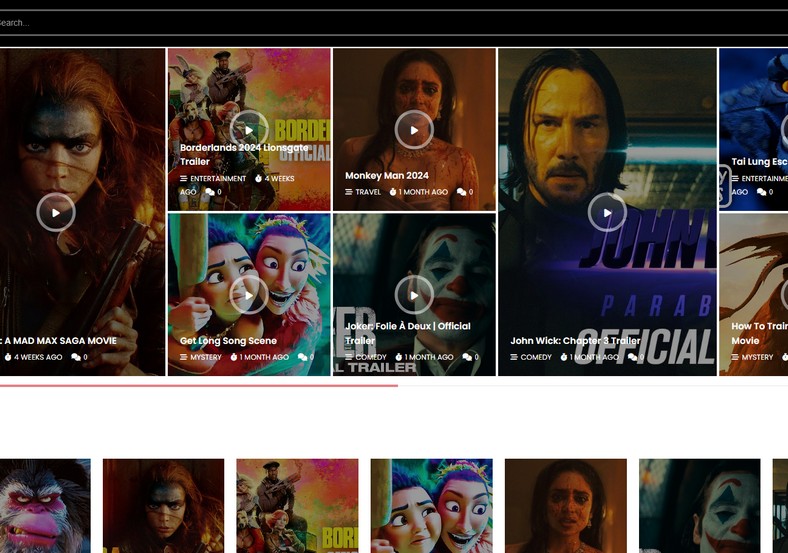

Supercharge Tech & Gaming Publishing with Neomax Blogger Template
Designed by the master engineers at Templateify, Neomax is a futuristic, highly customizable magazine Blogger template developed for technology newsrooms, gadget reviewers, gaming portals, and digital lifestyle blogs. Built with lightweight asynchronous styling and semantic HTML5 hierarchy, Neomax delivers lightning-fast indexing while providing an intuitive, polished reading environment. You can access the complete theme archive via our Direct Download Link to inspect the clean XML source package.
Advanced Mega Menu & Multi-Section Content Blocks
Neomax integrates dynamic Ajax-powered mega menus directly into its primary navigation header. Users can hover over categories to instantly preview recent posts, trending reviews, and high-impact thumbnail grids without waiting for full page reloads.
Core Features & Architecture
- Instant Dark/Light Mode Switcher: Provides seamless contrast switching to enhance night-time reading and reduce mobile device battery draw.
- Modular Editorial Grid: Highlights top headlines up front, followed by multi-category magazine tabs and review snippets. You can test the Fast Mirror Source to review theme demo setups.
- High-CTR Monetization Containers: Standardized 728x90 header banners, in-feed display slots, and 300x250 sidebar ad spaces pre-configured for Google AdSense.
- Structured NewsArticle Schema: Built-in rich snippet microdata ensures articles and reviews appear prominently in Google Search carousels and Google Discover.
- Fluid Mobile-First Framework: Fully responsive design that adapts smoothly across budget smartphones, iPads, and ultra-wide desktop monitors.
Technical Specifications
Installation & Setup Guide
- Use the Download Official Package link to download
Neomax-Free-Version.zip. - Extract the contents on your device to access the clean
.xmltemplate file. - Log into your Blogger Dashboard, navigate to Theme, and select Restore from the menu.
- Upload the extracted XML document to implement the Neomax design immediately.
- Head to the Layout tab to configure your mega menu label tags, dark mode switch, and AdSense codes.


