

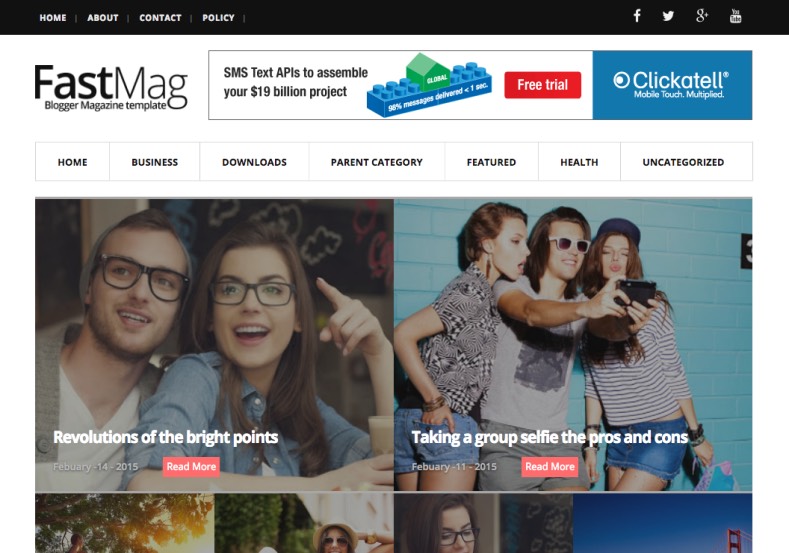

Accelerate Your News & Editorial Portal with Fast Mag Responsive Template
In modern web publishing, page loading speed directly impacts bounce rates, reader retention, and Google search rankings. Fast Mag is an agile, performance-engineered magazine Blogger template designed to load near-instantaneously without compromising editorial elegance. Featuring a clean layout structure, responsive image rendering, and minified scripts, Fast Mag guarantees seamless browsing on low-bandwidth cellular networks and desktop browsers alike. You can access the complete template archive via our Direct Download Link to inspect the clean XML source code.
Zero Render-Blocking & Optimized Asynchronous Scripts
Fast Mag eliminates render-blocking CSS and heavy JavaScript dependencies. Every widget, navigation dropdown, and sidebar tab is built to trigger on-demand, yielding near-perfect 90+ scores on Google PageSpeed Insights and GTmetrix.
Core Features & Architecture
- Lightning-Fast Load Performance: Compressed layout structure drastically cuts server response times and First Contentful Paint (FCP).
- Modular Editorial News Grid: Showcase breaking headlines, featured stories, and multi-category sections cleanly. You can test the Fast Mirror Source to review theme demo setups.
- High-CTR Monetization Containers: Standardized 728x90 header banners, responsive in-article slots, and 300x250 sidebar ad spaces pre-configured for Google AdSense.
- Structured NewsArticle Schema: Built-in schema microdata ensures maximum visibility in Google News feeds and search carousels.
- Fully Fluid Mobile Navigation: Modern off-canvas mobile menu and multi-level dropdowns provide effortless cross-device usability.
Technical Specifications
Installation & Setup Guide
- Use the Download Official Package link to download the
FastMag.ziparchive. - Extract the contents on your device to access the clean
.xmltemplate file. - Log into your Blogger Dashboard, navigate to Theme, and select Restore from the menu.
- Upload the extracted XML document to implement the fast-loading design immediately.
- Open the Layout tab to configure your header logo, menu labels, and AdSense codes.


