

Streamline Video Publishing & Film Showcases with Video Blogger Template
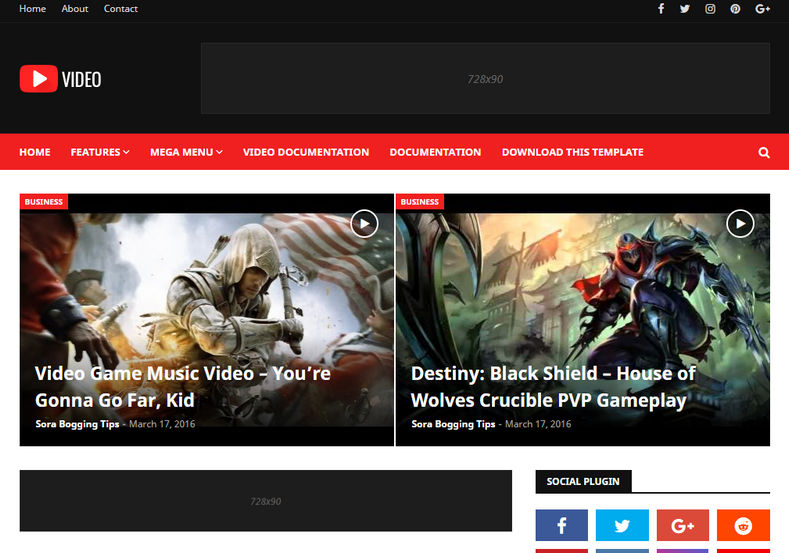
Designed by the media architects at SoraTemplates, Video Blogger Template is a video-first publishing theme created for cinema trailer aggregators, vloggers, film critics, tutorial publishers, and streaming directories. Engineered to treat video as the primary content format, it features built-in responsive player containers, play button hover overlays, and viewing metrics displays that keep audiences hooked. You can inspect the complete theme bundle via our Direct Download Link to review the clean XML source package.
Fluid 16:9 Aspect Ratio & Zero-Distortion Video Playback
Video eliminates horizontal layout breaking when embedding media. Its automated iframe wrappers scale YouTube, Vimeo, Dailymotion, Twitch, and custom MP4 players fluidly across modern smartphone screens, tablets, and desktop viewports.
Core Features & Architecture
- Dynamic Video Thumbnail Cards: Automatically generates crisp video play icon badges over post thumbnails to drive higher click-through engagement.
- Fluid Responsive Media Player: Embed cinema trailers and HD gameplay clips with automatic 16:9 ratio preservation. You can test the Fast Mirror Source to review theme demo setups.
- High-CTR Monetization Containers: Standardized 728x90 header leaderboards, in-feed display slots, and 300x250 video sidebar ad spaces pre-configured for Google AdSense.
- VideoObject & Article Schema Markup: Pre-integrated structured data ensures video runtimes, publication timestamps, and thumbnails index properly in Google Video Search.
- Mobile-First Fluid Framework: Fast-loading layout structure guarantees smooth video browsing even over cellular 4G mobile connections.
Technical Specifications
Installation & Setup Guide
- Use the Download Official Package link to download
Video-Free-Version-2.0.zip. - Extract the contents on your device to access the clean
.xmltemplate file. - Log into your Blogger Dashboard, navigate to Theme, and select Restore from the menu.
- Upload the extracted XML document to implement the Video design immediately.
- Head to the Layout tab to customize your video categories, player modules, and AdSense codes.


